Tuesday, 3 September 2019

MacBook Pro Battery Problems With Their Fixes


There is no way the technology, no matter how advanced it gets, can create damage proof batteries. Those things tend to wear out with time and age. They make the device slow and cause other severe issues with charge times and battery power. If you have a MacBook Pro, the battery may run smoothly for months or even years after the device is bought, but after days of repeated use and charging, it tends to slow down. MacBook pro battery replacement is not always as easy as popping the old one out and instilling the new one in. This article comprises of every minute detail you need to know about battery replacement in a MacBook. Let us plunge into more information.

macbook pro battery replacement

If Your Macbook Comes With Built-In Batteries


If you own a MacBook Pro that is a 2009 model or newer, the chances are that it has come with built-in batteries. Attempt to replace these batteries on your own is not at all recommended. There is not a single way by which you can do it without taking your MacBook apart. So it is better that you leave the battery replacement process to the professionals, and you worry about making the backup of all your crucial data.

Relying upon the authorized professionals, especially Apple store ones, is the best thing you can do to your MacBook. The technicians there are well acquainted with all the battery issues. You can rely upon them entirely. Commendable MacBookPro original battery replacement service would be provided to you there.

The most important thing you have to consider is whether your MacBook is under one year warranty or not. Because if it is then replacing the battery would be no issue for you as the warranty includes coverage for a defective battery. If it is not under warranty, it is recommended to get the battery replaced by an authorized third-party. It would cost much less than what Apple store would.
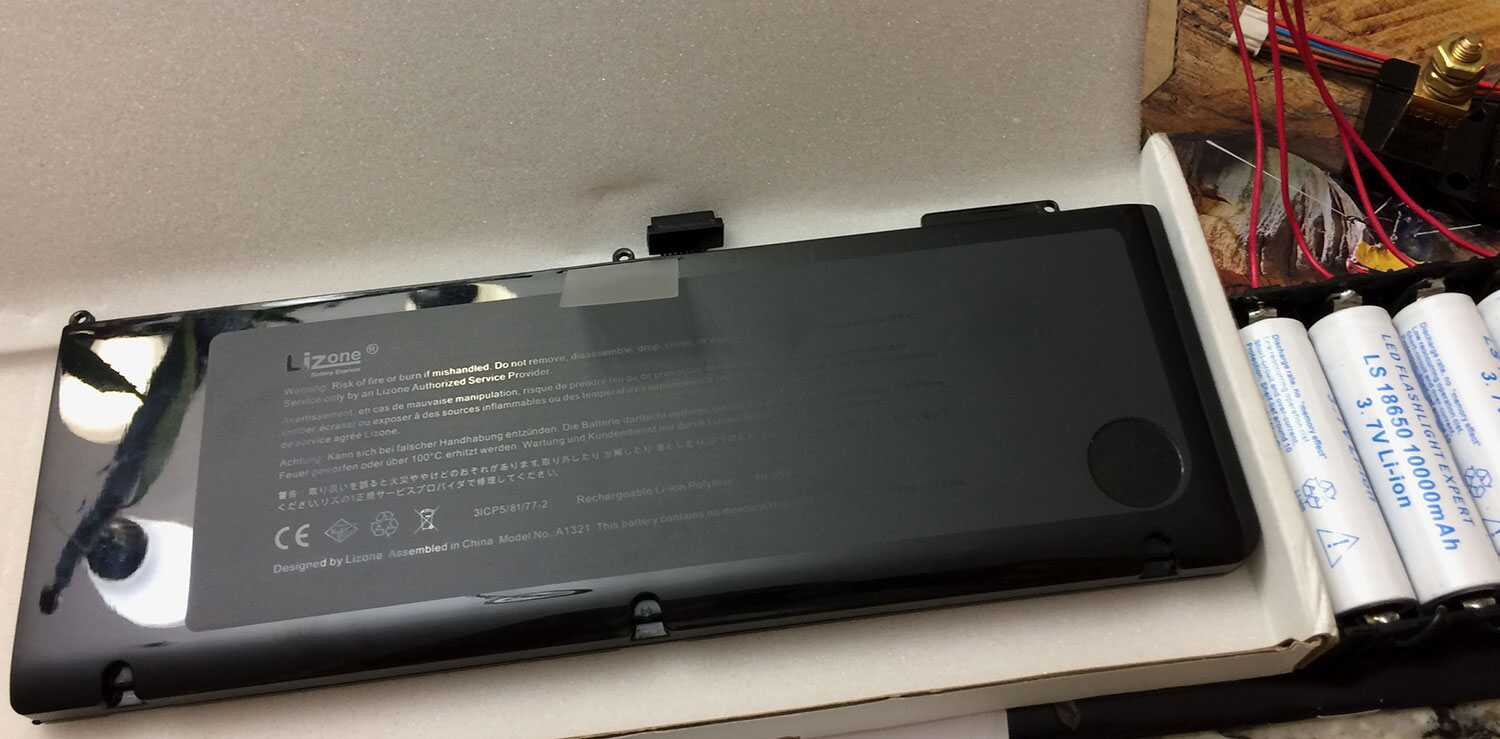
macbook pro original battery replacement

If The Batteries Are Removable


The cells are movable in the models of MacBook Pro that came before 2009. They transformed it into the glued-in batteries after that as they believed that the built-in batteries are more compact and sleek, which allows them to make the MacBook slimmer with each model. These batteries are trickier to replace, but when it comes to removable batteries, you can easily and quickly replace it yourself. You would have to determine first if the batteries can be removed or not. Models without retina displays and models from mid-2009 have removable batteries. Once you find a removable battery, you can easily replace it yourself.

Know When It Is Time To Replace Your Battery


The only component in Apple MacBook Pro that would ever need replacement is their battery. Physical damage is an exception. But the real question that arises is how you know that it is time to replace the battery. For this, we suggest that you check the status of your battery. All you have to do is hold the option key and click on the battery percentage icon in the menu bar.

MacBook Pro Battery Replacement Cost


The batteries of MacBook may not be the most expensive component to replace, but there are still chances that it may cost you a fortune. You are one fortunate man if your MacBook is under Apple warranty. If not, it is better to get it replaced by an external party. 

Monday, 5 August 2019

Common MacBook Problems And How To Fix Them

All the people out there in love with their MacBook must know how terrible it feels when their device is down with glitches. There might be chances that there is something wrong with your hardware or there are some issues with the Mac OS. The best you can do during any hitch is to find the source of the problem and try to fix it. It may seem a lot perplexing than said but to make it easier for you, MacBook repair in Singapore is at your every beck and call.

We have got your back. Enlisted are the most common issues you can face for the MacBook, MacBook Air, and MacBook Pro. Before plunging into the repair techniques, make sure that you backup your data. 

Common Issues


·     MacBook Suddenly Keeps Dying

This is one of the most common problems that can occur in your device. If it shuts down abruptly while you are working on it, there might be some prevailing issues with the battery. We are not talking about the situations where the device fails to work. Rather the situations where MacBook is shutting off randomly even with a healthy battery percentage are more of an intimidating condition.

What to Do?

In case of such abrupt shutdowns, restart your Mac with the power button. Wait for it to power on and Mac OS to load. After the loading of Mac OS, choose to restart the device again. In this way, you are assisting your MacBook to perform a normal shutdown process. To control most of the hardware procedures in your device, attempt to reset your System Management Controller (SMC). SMC operates battery charging, sleep modes, and many more such processes. Anything wrong in such operations can be resolved by resetting SMC. Even after resetting the SMC, your device keeps on shutting down, maybe it is time to take it to MacBook or iPad repair in Singapore.


·     The Start-Up Only Shows A Black Screen

There are many different colored screens displayed during the start-up. But, if you witness a black or a blue screen that refuses to go away, it is definitely a sign that your Mac froze while loading a problematic app or login function.

What to Do?

The best thing you can do is to restart your Mac by pressing the power button for around 6 seconds. You can even boot your device in the safe mode. After booting it, remove all the troublesome apps that may not be compatible.

·     Face-time Camera Image is of Poor Quality

MacBook air faces this issue much more than other models. Sometimes the image quality of your face is so grainy that Face-time is not even worth using. This issue is not always related to hardware; sometimes, it is just the Face-time software that fails to work. You cannot do much except waiting for Mac OS updates to see if they fix the problem.

What to Do If Your Video Isn't Working On Any Apps

If even the other video communication apps do not work correctly, there might be chances of some severe issues. Try taking the device into the repair services. Do not attempt to resolve the problem on your own or else you might worsen the situation. Rely upon an authorized and trustworthy professional assistance to get your device repaired.

·     Inappropriate Connection Of The External Devices 

Check if the device you connected works fine on other computers. If it does not, the problem is mainly in the device, and if it does, you can narrow the problem down to your Mac. Also, while you are at examining, ensure that the device is correctly plugged into the correct port on your Mac. You should also see to the possibility that the port and the cable are not damaged.

What to Do If These Steps Don't Work

Make sure that the device is compatible with your Mac and is plugged into the correct version of the port. These problems can generally be an issue with older USB ports and new devices. If there seems no problem, try resetting the PRAM / NVRAM and SMC. You ought to plug in another compatible device into the same port to make sure there is nothing wrong with the port.


These are some of the issues that can commonly occur in MacBook. If attempting to resolve them yourselves does not work out for you, rely upon the authorized professional services. iPad Crack screen repair and all the issues related to your MacBook can be resolved in a jiffy.


Direction:


Tuesday, 14 May 2019

How to Find Quality iPad Repair Services?

You are extremely fortunate if your IOS device is under AppleCare. You won’t have to worry about a single thing when it comes to repairing. All would be conveniently taken care of. But what happens when your AppleCare expires? Extending it is one of the options but it is not really viable. To avoid costly out-of-warranty services from Apple, it is advisable to search for a quality iPad repair service in your area. Let us find out the way to do it.


•    Research And Development Are Must - 

Before taking your precious Apple device for repair, you need to make sure that it is in safe hands. Research iPad repair services in your area and select the best ones that come among the top searches. Try to know as much as possible about them through their websites and social media pages. This would make the choices easier.

•    Get a Quote - 

Generally, a quality repair service has its prices openly portrayed on its website. If you can’t find the service that you desire, search for an online form that can get you an estimate easily. It is always better to compare the prices listed by at least two different service companies. But make sure that you don’t stick to the cheaper services just for the sake of it. iPad screen repair is one of the most common damages that the users suffer.

•    Find A Way To Bring Your iPad To Them - 

Contact the repair services through the number given on their website or write them an E-mail on the address specified. Wait for them to reply to you about the location of their shop.


•    Make Sure You Are Handling Your Device To The Right Hands - 

This is an important step when it comes to finding iPad crack screen repair services. You need to make sure that the technicians working at the service centre know what they are doing and repair your device with utmost caution.

We hope that this guide to finding a quality repair service actually helps you.

Direction


Monday, 29 April 2019

Things to Do For Fixing a Broken iPad Screen


Be ready to bust out your credit card if you drop your iPad accidentally and it shatters into pieces. You are in for a ride if you own an iPad. Maintaining it is expensive but getting it repaired is another thing altogether. Until or unless your iPad has a hairline crack and no sign of drop impact, you should be prepared for the worst. There is nothing to be worried about though, iPad repair in Singapore caters to all your repair related needs and that too in the shortest of time span.

The benefit of AppleCare+

You are one fortunate person if you decided to go with Apple’s extended warranty of one year. It covers all the accidental damage including the cracked screen. Also, a one-year warranty covers the screen replacement, so if you get the screen replaced and the touch ID no longer works, you can opt for second replacement as well, that too free of charge. For an iPad crack screen repair, you can schedule an appointment in the nearest Apple store or you can mail your iPad to the Apple store to get it fixed.


The pain of a broken screen

Your iPad being broken or it being completely frozen can be a frantic moment for you. We understand that you practically live on your iPad and there are loads of work that gets lagged behind if it is not working. The iPad repair services around the world have made it easier to get your device repaired in the shortest time span.

Take your iPad to a third party

It is preferable to take your device to an Apple store if it is under warranty. But, if your device is not under any sort of warranty make sure you take it to third-party Apple repair places. Make sure that you go to a trusted party. You wouldn’t want to wreck your device more than it already is. Before going to any service-party, make sure that you know how much would the repair cost or what type of warranty do they provide. You need to be clear of the kind of services they are offering you. As the third party company would be depriving you of your Apple Warranty, at least make sure that they offer the best parts and work. You wouldn’t want to be left with a crack-free but defective screen.

Don’t, under any circumstances, try to repair your screen yourself

There are plenty of DIY videos on Youtube regarding screen repair, but we don’t advise you to try repairing your screen yourself. Replacing the glass of the screen is a very tedious task. You should leave this complex task to the professionals. Not only there is a possibility that you might do it all wrong, but also you would void any warranty your phone has To ensure that you make the right decision at the time of crisis.


Monday, 1 April 2019

Drawbacks of Using an iPhone with a Cracked Screen

Though we always try to keep our iPhones safe and protected from unwanted damages, sometimes the circumstances or the accidents leave us helpless which cause severe harm to the iPhone screens. Using your phone with the broken screen is hazardous and urges the need to iPhone 7plus screen repair.


Drawbacks of using cracked screen iPhone:

•    A minor cracked screen leads to a shattered screen.
•    It can severely damage your phone
•    The glass can cut you
•    Decreases phone value
•    Looks unprofessional
•    May hamper the display of the phone even more


Your devices are a prominent part of your life; iDevice understands this and help you with the best iPhone and iPadRepair Services to repair all sort of damages in very less time and greater efficiency.

Thursday, 3 January 2019

Top Money-Saving Tips to Protect Your Ipad from Any Damage


Nowadays many people like to use IPad’s for their home and even for office purpose. The Apple Company’s remarkable product the iPad and iPad mini offer customer a smooth interface for completing their work. There are quite a few numbers of variations in the product as well in the aspect of storage and other technical features. But, like any other electronic device, an iPad is also susceptible to damage. This means that you can face a broken screen, damaged battery and failed motherboard anytime. Keep reading to find out the best collection of tips to prevent your device from getting any type of damage.
Here is a list of top tips from the collection-

1.    Using a Screen Guard or Protector:  If you face constant scratches on your phone or iPad then this might be a good time for you to buy a new screen guard. Screen protector or guard is a simple yet highly effective way to protect your phone from any damage. The guard protects the screen from dust, dirt and premature wear. Moreover, it also helps in giving water protection to your IPad.


2.    Using a Flexible Case: Another way to protect your iPad is using a case. Nowadays there is a plethora of option and online store to buy covers and cases. These plastic cases are not only affordable but they serve you for a long time and protect your phone from any damage. Some iPad Cover is strong enough to take a fall and therefore safeguard internal circuits from getting damaged.

3.    Get Apple Care: Buying an Apple Care subscription can help in safeguarding your phone from any damage. You can also opt for a third-party insurance plan on your iPad. This will help you get easy iPad screen repair.

4.    Being Smart: While most of the apple phone can serve you for a long time but taking one into a swimming pool can be a bad idea. In another situation allowing your two-year-old toddler use, it can be another bad idea. It is recommended to avoid using IPad near water for example near bathtub or kitchen sink.


5.    Being Pro-Active: Last but not the least method to protect your iPad is by becoming pro-active. While using iPad ensure that you are not handling multiple items in the same hand or your hands are not oily.

By taking these tips into consideration you can significantly reduce the chances of facing damage on your iPad. In case you still face issue on your iPad for example broken screen, motherboard issues, and battery issues then contact iDevice. iDevice is one of the leading service providers of Apple device repair in Singapore. The expert assistance offered to the customer help in getting repair and replacement without any hassle. So, contact now and get premium-quality complete service on your Ipad and iPhones.

Thursday, 20 December 2018

Most Common iPhone Issues When You Seek for Professionals


Having an iPhone 7 is quite a reason to feel proud about but that’s not all. You also need to be responsible enough to take care of this asset which you bought with your hard earned money. But still despite of always staying conscious about your iPhone, you end up with some issues due to which you need to find the professionals for fixing them. Here are some issues for which that assistance of experts is the best you need.

1.  Screen damage: A sudden jerk while travelling in car and you accidentally dropped your iPhone. Rather than panicking, look for the trusted iPhone 7 screen repair service to get that smashed screen fixed. You won’t even feel that the screen was damages once you get it back after the repair.


2 .   Battery problems: According to the iPhone projected life span, the battery starts losing 20 percent of its capacity within 2 years of usage. If you feel that the battery of your iPhone 7 is under-performing, you just need to find the professionals who will get the problem resolved by quick replacement.

3.  Water damages: Serious water damages are something that you just can’t even think of fixing yourself. Sometimes the iPhone can survive the splashes but in critical situations when they don’t, the professionals at repair services knows exactly the ways through which such damages could be fixed.


The experience and use of advance technologies by the iPhone repairing experts form to be the best factors through which you can get your worries resolved regarding your iPhone 7 damages and in no time you’ll get your fresh looking device back. All you need to do is choose the repairing service wisely, considering the factors of on-time delivery and genuine expenses as well.